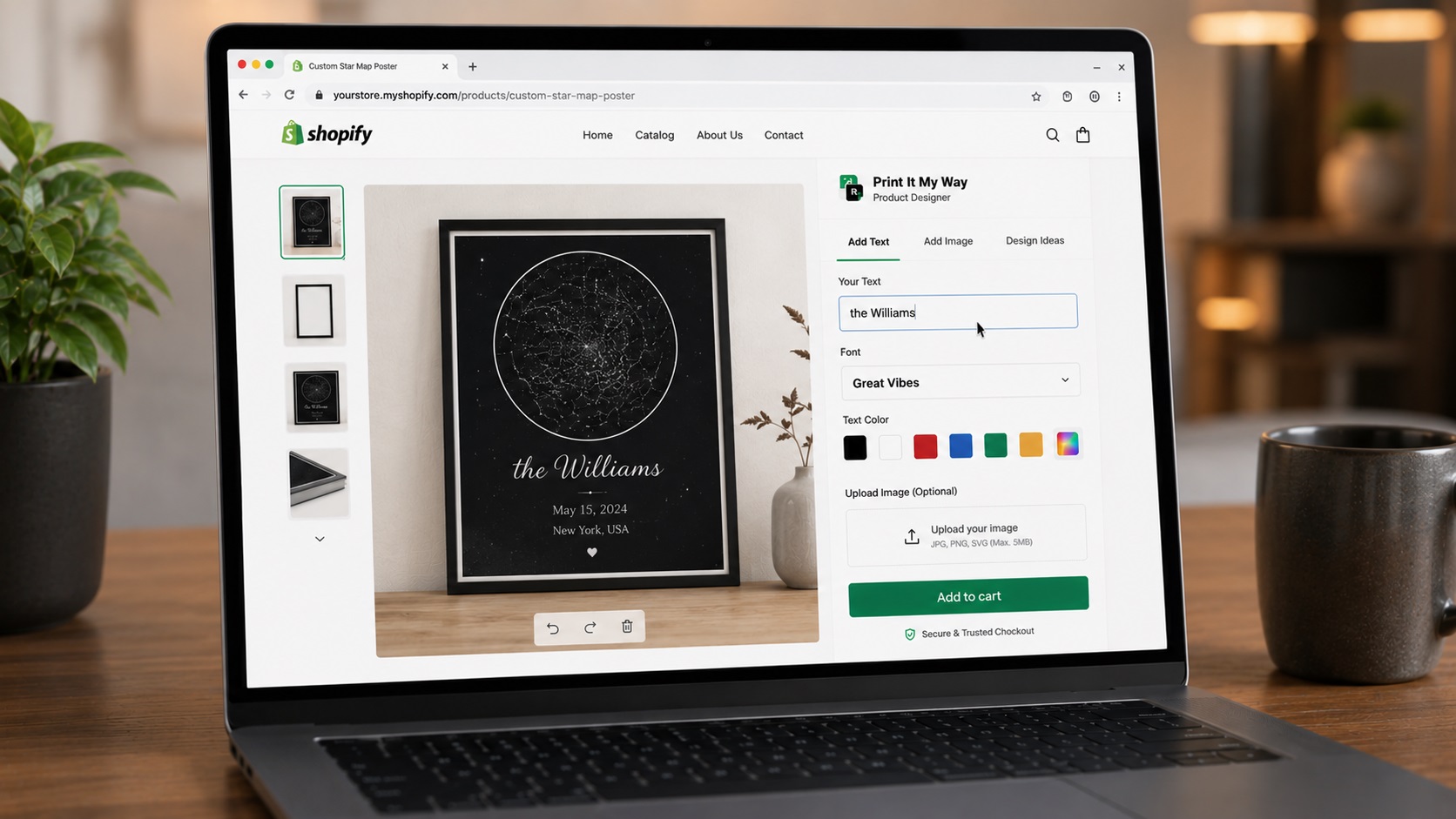
Visual customizer vs form-with-fields
The category divides into two types:
- Visual customizers: Customer sees their design rendered on a real product photo in real time. Higher conversion. More complex setup.
- Form-with-fields: Customer fills text fields, sees minimal preview or none. Lower conversion. Simpler setup.
For POD specifically, visual customization is necessary for competitive positioning. Form-only apps lose to visual-customizer competitors.
Step-by-step setup
- Define visual fidelity requirements. Real product photos? Vector mockups? AR? 3D rotation? Multi-angle? Customer-uploaded photo as background?
- Install Print It My Way (free). Real product photo mockups, multi-angle support, perspective warp for 3D products. Install from the Shopify App Store.
- Compare against current top SKU. Configure your real top-seller in each tested app. Compare preview fidelity.
- Order samples for fidelity check. Preview-vs-product fidelity gap drives returns. Test with real production.
- Test mobile preview. Mobile preview is where most apps cut corners. Test on a real phone.
- Verify multi-angle support. Premium products need multi-angle preview. Check each app's support.
- Pick based on fidelity + total fit. Best preview wins if other features match; otherwise total feature fit decides.
Print It My Way (free)
Visual fidelity: Real product photo mockups (not vector outlines). Multi-angle preview. Perspective warping for mugs/hats/curved products. AI background removal for photo personalization.
Pricing: Free entry tier.
Customily
Visual fidelity: Visual personalization with strong template library. Multi-platform (Shopify, WooCommerce).
Zakeke
Visual fidelity: AR and 3D visualization on top of standard real-time preview.
Pricing: 1.7-1.9% transaction fee per zakeke.zendesk.com.
Zepto Product Personalizer
Visual fidelity: Real-time visualization with color swatches and image uploads. 4.9 stars, 1,236+ reviews per Shopify App Store.
Pricing: $9.99/month entry.
Key takeaway
All four apps offer visual customization. Differences come down to:
- Fidelity ceiling: Print It My Way real-photo mockups; Zakeke AR/3D; others varying
- Pricing model: Print It My Way free; Zepto $7.99/mo; Zakeke transaction fee
- POD integration depth: Print It My Way native Printful/Printify/Gelato
Install the free visual customizer
Print It My Way's real product photo mockups + perspective warp + AI background removal in the free plan.
Install Print It My Way — Free See the photo upload comparison →Frequently asked questions
Visual customizer vs form-with-fields — which wins?
Visual customizer wins for POD specifically. Customers buying personalized products want to see what they're getting. Form-only apps lose to visual competitors.
Is AR/3D worth the cost?
Premium positioning only. AR/3D drives marginal conversion lift for most POD categories — not enough to justify transaction fees vs alternatives. Reserve for premium-tier stores.
Does Print It My Way support multi-angle preview?
Yes — front, back, side, lifestyle views per product. Customer's design renders across all angles simultaneously.
What's perspective warp?
Rendering flat customer text/design with the right curve on 3D products (mugs, hats, curved signage). Without warp, flat text on a curved mug looks wrong.
Which app has the best mobile preview?
Test on your real phone — varies by category. Print It My Way is mobile-first with full-width preview, pinch-to-zoom, single-column field layout.
Is Print It My Way free to install?
Yes. Print It My Way is free to install from the Shopify App Store. The Free plan covers most small stores; paid plans unlock higher order volume, advanced features like Cart Transform per-character pricing, premium fonts, and white-glove support. There is no upfront fee and no credit card required to install.
How long does Print It My Way take to set up?
Most stores set up their first personalized product in under 15 minutes. The Shopify App Store install takes about 60 seconds; adding text fields, photo upload, color swatches, and live preview to a product takes 5-10 minutes. Catalog-wide rollout (50+ products) uses bulk-apply templates and typically takes 30-60 minutes total.
Does Print It My Way work with Shopify Basic, Shopify, Advanced, and Shopify Plus?
Yes. Print It My Way works on every Shopify plan including Basic, Shopify, Advanced, Plus, and Shopify Starter. Some advanced features like Cart Transform (per-character pricing) and B2B company accounts require Shopify Plus, but the core personalization fields, live preview, and order capture work on every tier.
Does Print It My Way slow down my Shopify store?
No. Print It My Way uses Shopify's storefront block architecture, which loads only on personalized product pages and doesn't add render-blocking scripts site-wide. Lighthouse and Core Web Vitals scores on personalized product pages stay green when the app is configured with default settings.
Does Print It My Way work with Printful, Printify, Gelato, and other POD partners?
Yes. Print It My Way has native integrations with Printful, Printify, Gelato, and other major print-on-demand partners. The customer's personalization data flows through Shopify's standard order pipeline, so any partner that reads line-item properties (which all major POD apps do) receives the print files automatically.
Does Print It My Way support Shopify Markets, multiple currencies, and multiple languages?
Yes. Field labels translate per language, upcharge prices can be set per currency, and the personalizer fully supports right-to-left languages including Arabic and Hebrew. The personalizer also handles Unicode for Cyrillic, CJK (Chinese/Japanese/Korean), Greek, and accented Latin characters with appropriate font fallback.