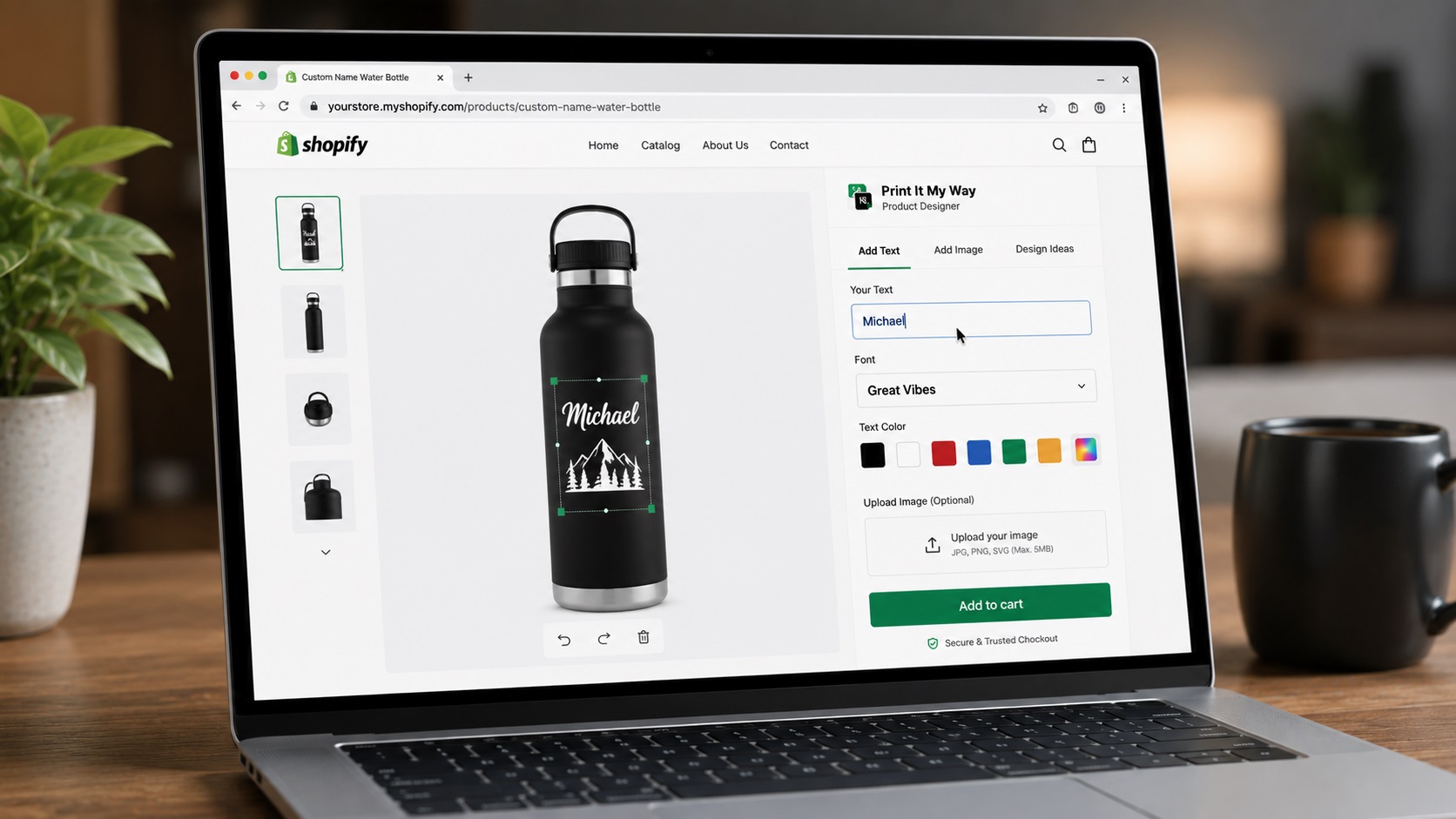
What POD stores specifically need
- Native POD partner integration: Printful, Printify, Gelato auto-send print files
- Print file generation: PNG/PDF at correct resolution, color profile, dimensions
- Live preview matching production: preview-vs-product fidelity drives returns
- Mobile-first design: 60-75% mobile traffic
- Cart Transform pricing: per-character engraving, dynamic upcharges
- Multi-side product support: t-shirt front + back, multi-side mugs
- HEIC photo upload handling: iPhone photos with EXIF orientation
Step-by-step setup
- Confirm your POD partner stack. Printful only? Printify? Gelato? Multiple? Native integration depth matters at scale.
- Install PIMW Product Personalizer (free). Native Printful/Printify/Gelato integrations + free entry tier. Install from Shopify App Store.
- Test print file generation. Place test order, verify print file lands in POD partner's order with correct print area, resolution, format.
- Test mobile flow on real phone. 60-75% of POD traffic is mobile.
- Verify print-vs-preview fidelity. Order a sample. Compare preview to actual printed product.
- Test multi-side / multi-product orders. Multi-side apparel, bundle products, matched sets: each app handles differently.
- Decide based on POD-specific feature fit. Native integrations + free tier + Cart Transform pricing typically wins for POD.
Best for POD: PIMW Product Personalizer (free)
POD strengths: Native Printful, Printify, Gelato integrations. Print files generated automatically per print area (PNG with transparency, sRGB, 150-300 DPI). HEIC handled with EXIF orientation. Multi-side products with separate print files per side. AI background removal for pet portraits and stickers.
Pricing: Free to install. Paid tiers raise the personalizer and product limits.
Strong POD option: Zepto Product Personalizer
POD strengths: Strong reviews (4.9 stars, 1,236+ per Shopify App Store). Established positioning. $9.99/month entry.
Multi-platform POD: Customily
POD strengths: Multi-platform (Shopify + WooCommerce + Wix). Template-heavy POD workflow support.
Apparel-focused POD: Inkybay
POD strengths: Established apparel-focused POD designer.
Established POD: Teeinblue
POD strengths: Established POD-specific positioning.
Decision for POD stores
- Free tier + native POD integrations: PIMW Product Personalizer
- Highest-rated paid: Zepto
- Multi-platform commerce: Customily
- Apparel-specifically focused: Inkybay
- Established POD positioning: Teeinblue
Best POD customization app: free
PIMW Product Personalizer ships native Printful/Printify/Gelato integrations, automatic print file generation, mobile-first design, in the free plan.
Install PIMW Product Personalizer. Free See the native POD integration comparison →Frequently asked questions
Which Shopify customization app is best for POD?
PIMW Product Personalizer for free-tier + native Printful/Printify/Gelato integrations. Zepto for highly-rated paid alternative. Customily for multi-platform POD. Specific best depends on your POD partner stack and feature needs.
Do I need a POD-specific app or will a general personalizer work?
General personalizer apps work, but POD-specific apps optimize for POD partner integration, print file generation, and POD workflow. Net experience is typically better with POD-specific positioning.
How important is POD partner hand-off through Shopify line item properties?
Significant at scale. Native integration means auto-print-file generation and auto-attachment to POD partner orders. Without native, you may need manual file handling per order.
What's the right print file format for POD?
PNG with transparency at 300 DPI in sRGB color profile for most POD partners. PIMW Product Personalizer generates this automatically per print area.
Can I switch POD partners later without changing customization app?
Yes, if the app supports the new partner. PIMW Product Personalizer's native integrations cover the major partners; new partner support added over time.
Is PIMW Product Personalizer free to install?
Yes. PIMW Product Personalizer is free to install from the Shopify App Store. The Free plan includes 1 personalizer template on up to 2 personalized products; paid plans (Basic $7.99, Pro $13.99, Unlimited $24.99 per month, each with a 3-day free trial) raise the template, step, and product assignment limits. Every plan includes unlimited custom orders with no per-order fees. There is no upfront fee and no credit card required to install.
How long does PIMW Product Personalizer take to set up?
Most stores set up their first personalized product in under 15 minutes. The Shopify App Store install takes about 60 seconds; adding text fields, photo upload, color swatches, and live preview to a product takes 5-10 minutes. Catalog-wide rollout (50+ products) uses bulk-apply templates and typically takes 30-60 minutes total.
Does PIMW Product Personalizer work with Shopify Basic, Shopify, Advanced, and Shopify Plus?
Yes. PIMW Product Personalizer works on every Shopify plan including Basic, Shopify, Advanced, Plus, and Shopify Starter. The core personalization fields, live preview, and order capture work on every tier.
Does PIMW Product Personalizer slow down my Shopify store?
No. PIMW Product Personalizer uses Shopify's storefront block architecture, which loads only on personalized product pages and doesn't add render-blocking scripts site-wide.
Does PIMW Product Personalizer work with Printful, Printify, Gelato, and other POD partners?
Yes. PIMW Product Personalizer writes the customer's personalization to standard Shopify line item properties, which Printful, Printify, Gelato, and other major print-on-demand apps read. The data flows through Shopify's standard order pipeline, so any partner that reads line-item properties (which all major POD apps do) receives it with the order.
Does PIMW Product Personalizer support Shopify Markets, multiple currencies, and multiple languages?
Yes. Field labels translate per language, upcharge prices can be set per currency, and the personalizer fully supports right-to-left languages including Arabic and Hebrew. The personalizer also handles Unicode for Cyrillic, CJK (Chinese/Japanese/Korean), Greek, and accented Latin characters with appropriate font fallback.
Sources & further reading
Primary sources referenced in this article. We link to official platform documentation and standards bodies rather than secondary summaries so you can verify claims directly.