What 'unlimited options' actually means
Marketing positioning aside, 'unlimited options' in product personalization has a technical ceiling: Shopify's 2,048 variants per product cap (updated October 2025 from previous 100). Apps positioning 'unlimited' must use Shopify Cart Transform Function — which lets the app calculate pricing combinations live without creating variants.
Without Cart Transform, 'unlimited' is marketing speak — the app creates auto-variants behind the scenes, hits the cap, and breaks at scale.
Step-by-step setup
- Define what 'unlimited options' means for you. Number of field types? Number of variants per field? Conditional logic depth? Per-character pricing combinations? Be specific.
- Install Print It My Way (free). Comprehensive field type library + Cart Transform pricing to handle pricing combinations without variant explosion. Install from the Shopify App Store.
- Test against Shopify's variant cap. Shopify caps variants at 2,048 per product (updated October 2025 from previous 100). Apps handling 'unlimited options' must use Cart Transform Function to avoid the cap.
- Build a complex test product. Engraving + photo + 5 color swatches + premium font + size variant + rush production option. See how each app handles the combination.
- Verify pricing math. $X base + $1/character + $5 premium font + $15 rush + 25% wholesale discount. Result should compute correctly in cart.
- Check mobile UX. Many fields = many opportunities to break mobile. Test on a real phone.
- Decide based on actual catalog needs. Most catalogs need 3-8 field types per product. Pick the app that handles your actual complexity, not abstract 'unlimited'.
Print It My Way — Cart Transform native
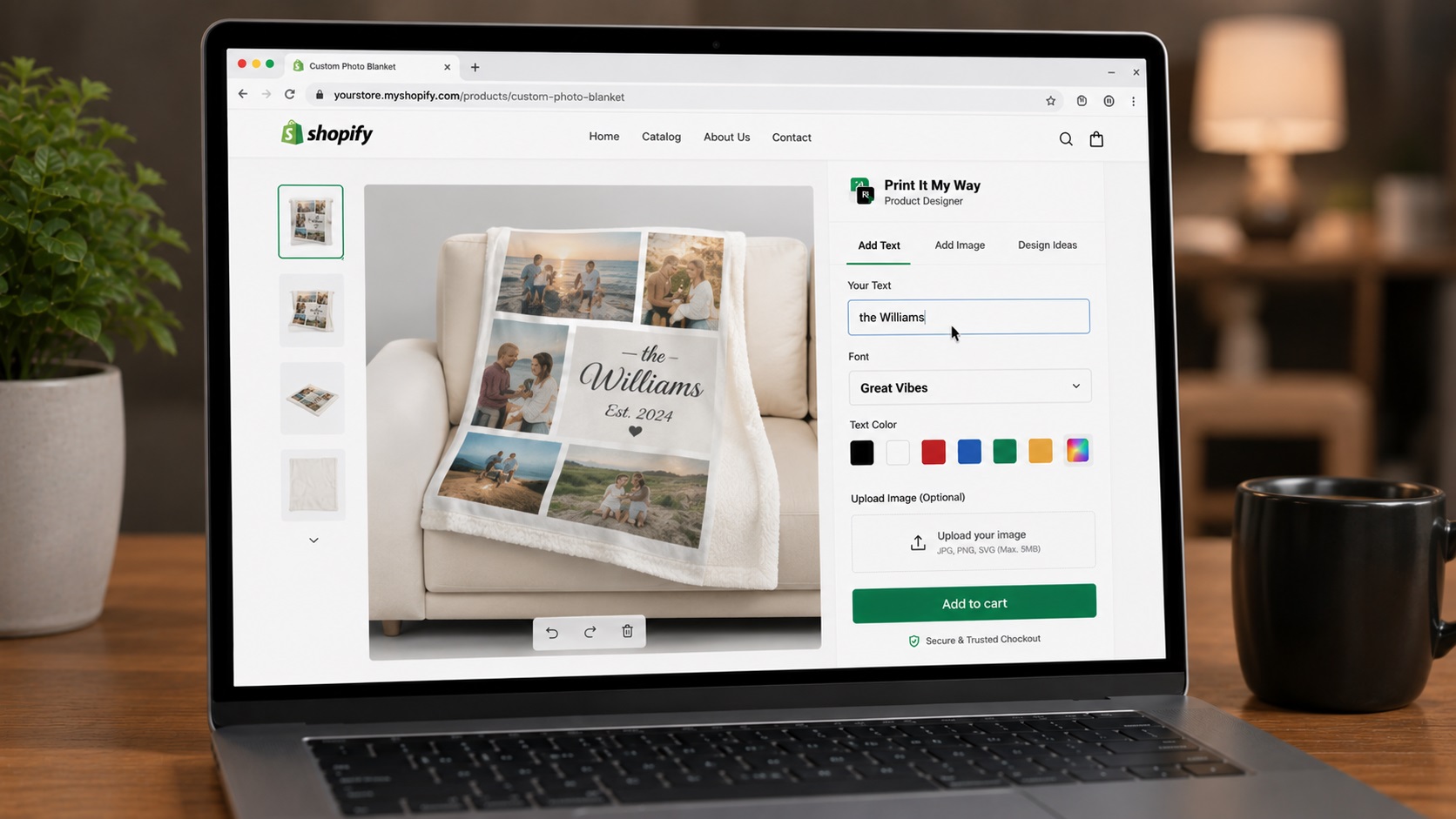
Field types: Text (single/multi-line), photo upload, color swatch, image swatch, dropdown, radio, checkbox, checkbox group, date picker, time-slot, monogram builder, CSV bulk upload, font picker, file upload.
Pricing combinations: Cart Transform Function handles per-character pricing, quantity tiers, premium upcharges, wholesale tiers without variant explosion. Genuine unlimited combinations.
Free entry tier.
Zepto Product Personalizer
'Unlimited product options' is their core positioning per Shopify App Store. $9.99/month entry. 4.9 stars, 1,236+ reviews per their listing.
Productpersonalizer.com
'Unlimited product options with real-time previews' is their site positioning.
The Cart Transform question
When evaluating 'unlimited options' apps, ask:
- Does the app use Shopify Cart Transform Function?
- Or does it create auto-variants behind the scenes?
Cart Transform = genuine unlimited; auto-variants = limited by Shopify's 2,048 variant cap (was 100 before October 2025).
Real-catalog needs
Marketing positioning of 'unlimited' often exceeds real needs. Most catalogs use 3-8 field types per product. Pick the app that handles your real complexity comfortably, not the one with the most abstract positioning.
Get real unlimited options with Cart Transform
Print It My Way uses Shopify Cart Transform Function — genuine unlimited pricing combinations without variant cap. Install free.
Install Print It My Way — Free See the Cart Transform comparison →Frequently asked questions
Is Shopify's variant cap really an issue?
It can be. Shopify caps variants at 2,048 per product (updated October 2025 from previous 100). Apps creating auto-variants for pricing combinations can hit the cap at complex catalogs. Cart Transform Function-based apps avoid this entirely.
Which apps use Cart Transform Function?
Print It My Way uses Cart Transform for per-character pricing, quantity tiers, and dynamic surcharges. Check each app's documentation for whether they use Cart Transform or variant-based pricing.
What's the difference between Cart Transform and variant-based pricing?
Variant-based: app creates a Shopify variant for each pricing combination, hits Shopify's variant cap eventually. Cart Transform: app calculates pricing live at cart time without creating variants — genuine unlimited combinations.
How many field types do typical catalogs need?
3-8 per product. Engraved jewelry: text field + font picker + per-character pricing (3 fields). Multi-side apparel: text + photo + color + side selection + font picker + size (6 fields). Most stores under 10 per product.
Is 'unlimited options' marketing or substance?
Depends on implementation. Cart Transform-based 'unlimited' is genuine; auto-variant 'unlimited' has a ceiling at Shopify's variant cap. Ask vendors directly which they use.
Is Print It My Way free to install?
Yes. Print It My Way is free to install from the Shopify App Store. The Free plan covers most small stores; paid plans unlock higher order volume, advanced features like Cart Transform per-character pricing, premium fonts, and white-glove support. There is no upfront fee and no credit card required to install.
How long does Print It My Way take to set up?
Most stores set up their first personalized product in under 15 minutes. The Shopify App Store install takes about 60 seconds; adding text fields, photo upload, color swatches, and live preview to a product takes 5-10 minutes. Catalog-wide rollout (50+ products) uses bulk-apply templates and typically takes 30-60 minutes total.
Does Print It My Way work with Shopify Basic, Shopify, Advanced, and Shopify Plus?
Yes. Print It My Way works on every Shopify plan including Basic, Shopify, Advanced, Plus, and Shopify Starter. Some advanced features like Cart Transform (per-character pricing) and B2B company accounts require Shopify Plus, but the core personalization fields, live preview, and order capture work on every tier.
Does Print It My Way slow down my Shopify store?
No. Print It My Way uses Shopify's storefront block architecture, which loads only on personalized product pages and doesn't add render-blocking scripts site-wide. Lighthouse and Core Web Vitals scores on personalized product pages stay green when the app is configured with default settings.
Does Print It My Way work with Printful, Printify, Gelato, and other POD partners?
Yes. Print It My Way has native integrations with Printful, Printify, Gelato, and other major print-on-demand partners. The customer's personalization data flows through Shopify's standard order pipeline, so any partner that reads line-item properties (which all major POD apps do) receives the print files automatically.
Does Print It My Way support Shopify Markets, multiple currencies, and multiple languages?
Yes. Field labels translate per language, upcharge prices can be set per currency, and the personalizer fully supports right-to-left languages including Arabic and Hebrew. The personalizer also handles Unicode for Cyrillic, CJK (Chinese/Japanese/Korean), Greek, and accented Latin characters with appropriate font fallback.