
In this article
- Why personalized gifts need a dedicated tool
- What a personalized gift tool needs to do
- How PIMW Product Personalizer handles each one
- Set up a personalized gift product in 6 steps
- Personalized gift ideas and the fields they need
- PIMW Product Personalizer plans for gift stores
- What merchants say
- Get ready for gift season
- Is PIMW Product Personalizer the right tool for you?
- Frequently asked questions
- Keep exploring
The tool you need to sell personalized gifts on Shopify is a product personalizer: an app that adds name fields, engraving text, photo upload, font and color choices, gift-wrap and gift-message options and a live preview to your product pages, then saves every detail on the order so the gift is made exactly as the customer asked. PIMW Product Personalizer is our app for that job. It has a free plan, paid plans from $7.99 a month, and no per-order fees.
This page explains what a personalized gift tool has to do, how PIMW Product Personalizer handles each part, how to set up a gift product step by step, and when a different tool might suit you better. Every feature, plan limit and price below comes from the app's Shopify App Store listing as checked in October 2026.
Key takeaways
- A personalized gift tool needs text and engraving fields, fonts, swatches, photo upload, a live preview, gift extras with add-on fees, conditional fields and clean order details.
- PIMW Product Personalizer covers these; text fields, live preview and add-on fees work on every plan including Free, and customer photo upload is on Pro (20 per personalizer) and Unlimited.
- Plans: Free, Basic $7.99, Pro $13.99 and Unlimited $24.99 a month, with unlimited custom orders, no per-order fees and a 3-day trial on paid plans.
- Name, monogram and engraving gift shops can run on Free or Basic; photo gifts need Pro.
Why personalized gifts need a dedicated tool

Personalized gifts are one of the clearest reasons people buy custom products. In Deloitte's UK consumer survey on personalization, half of consumers said customized products make great gifts, and 48% said they'd wait longer for a personalized item. Gift timing matters too: in the NRF's 2025 holiday survey, shoppers planned to spend an average of $627.93 on gifts, and 42% planned to start before November.
The trouble is that Shopify's built-in product options aren't made for this. Variants are for choices you can list in advance, like size or color, and Shopify allows up to three options per product. A name, a date, a photo or a gift message can be anything, so it has to be saved another way, as line item properties on the order. A personalizer app collects those details, shows the customer what they're getting, and charges for the extras.
What a personalized gift tool needs to do

Whatever app you choose, check it does these eight things:
- Text and engraving fields for names, initials, dates and short messages, with character limits.
- Font choice so the gift looks right: a script for a wedding sign, a bold block for a team shirt.
- Color and style swatches that show real colors, not a text dropdown.
- Photo upload for photo mugs, canvas prints, pet portraits and photo ornaments.
- A live preview so the buyer sees the name or photo on the product before paying.
- Gift extras with add-on pricing: gift wrap, a gift message card, a second line of engraving, each with its own fee.
- Conditional fields so the page stays simple: show the gift-message box only when gift wrap is selected.
- Clean order details so whoever prints, engraves or wraps the gift reads exactly what the customer typed.
How PIMW Product Personalizer handles each one

| What gift sellers need | How PIMW Product Personalizer does it | Plan |
|---|---|---|
| Names, initials, engraving text | Custom text fields, including engraving text and monograms | Every plan, including Free |
| Font choice | Custom fonts on the personalization | Listed as an app feature |
| Real color choices | Color swatches | Listed as an app feature |
| Live preview | Shows the customer's text and uploads on the product | Every plan |
| Gift wrap, gift message, extra lines | Add-on pricing that adds the extra charge to the cart automatically | Every plan |
| Photo and logo upload | Customer image and file upload | Pro (20 customer images per personalizer) and Unlimited |
| Show fields only when needed | Conditional logic | Listed as an app feature; check your plan's limits |
| Order details for production | Personalization saved on the order (line item properties) | Every plan |
The app is listed for personalized jewelry, embroidery, monograms, print on demand, gift wrap and laser engraving, and it works with Shopify Checkout, the Shopify admin and print-on-demand setups. It also includes default images you can preload for customers to pick from (5 on Basic, 20 on Pro and Unlimited).
Set up a personalized gift product in 6 steps

Here is how to set up a typical gift, such as an engraved necklace or a name mug:
- Install PIMW Product Personalizer from the Shopify App Store and turn on its app embed in your theme.
- Create the product in Shopify with the choices that change cost or stock (size, color, material) as variants.
- Add the personalization fields in the app: a text field with a clear label like "Name to engrave (max 12 letters)", a font choice and color swatches.
- Add the gift extras: a gift-wrap option with its fee, and a gift-message field that only appears when gift wrap is chosen.
- Turn on the live preview and place the text on the product photo where it will actually print or engrave.
- Place a test order and check that the name, font, color and gift message all appear on the order the way the customer entered them.
For photo gifts, add a photo upload field in step 3 and tell customers what kind of photo works best. Photo upload is on the Pro and Unlimited plans.
Personalized gift ideas and the fields they need

| Gift | Fields to offer | Plan for the fields (text vs photo) |
|---|---|---|
| Name necklace or bracelet | Name, font, metal color, gift wrap | Free or Basic |
| Monogrammed towel or tote | Initials, thread color, gift message | Free or Basic |
| Engraved cutting board | Family name, year, font | Free or Basic |
| Name mug or tumbler | Name, font, color, gift wrap | Free or Basic |
| Kids' name book | Child's name, dedication | Free or Basic |
| Photo mug, canvas or ornament | Photo upload, name, date | Pro |
| Pet portrait gift | Photo upload, pet name | Pro |
| Wedding sign or favors | Couple's names, date, font | Free or Basic |
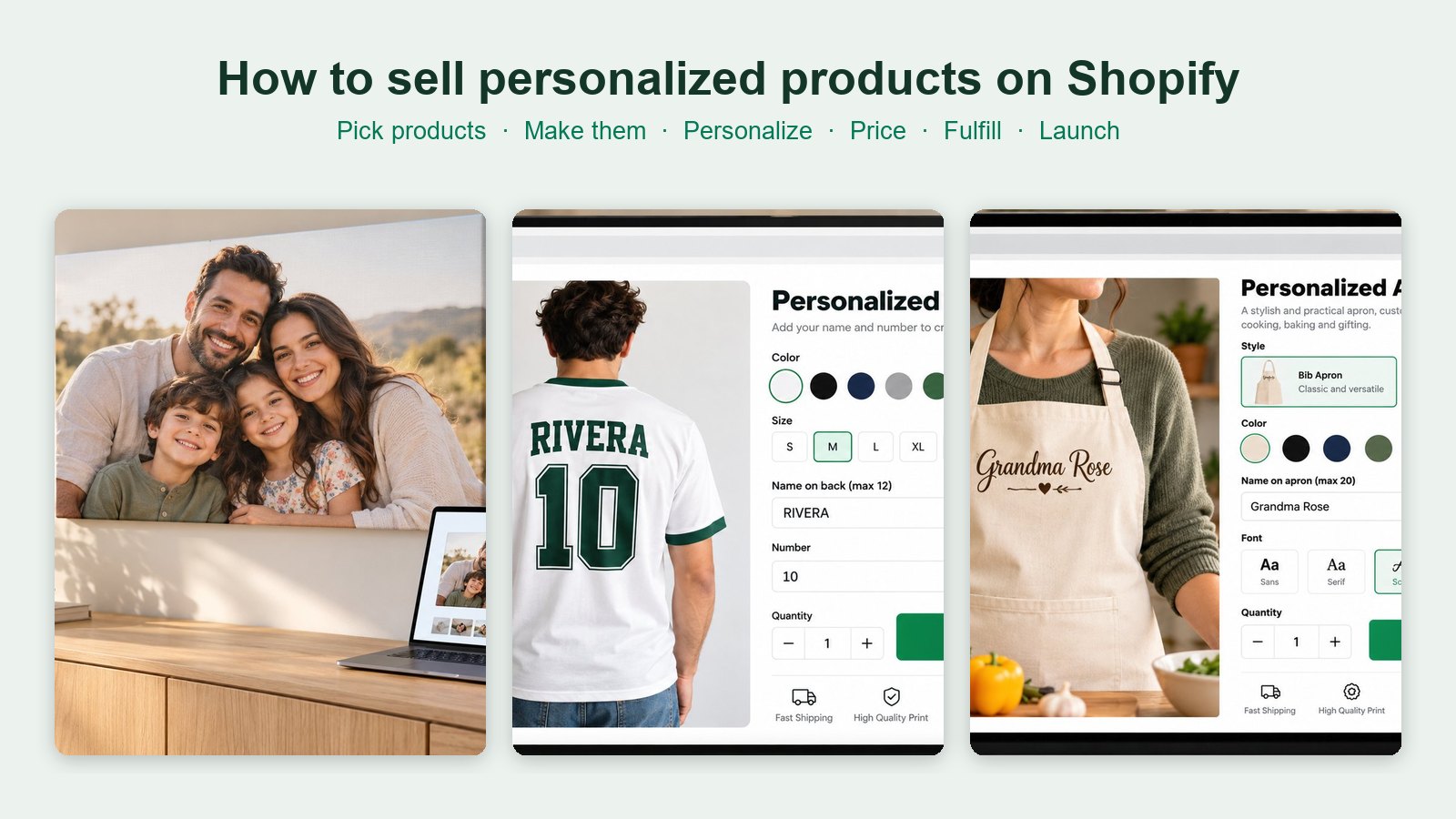
For full selling guides on some of these, see how to sell custom canvas prints, personalized aprons, personalized picture books and custom t-shirts.
PIMW Product Personalizer plans for gift stores

These are the plans as shown on the Shopify App Store listing in October 2026. All plans include unlimited custom orders, and there are no per-order fees.
| Plan | Price | Good for |
|---|---|---|
| Free | $0 | Testing one gift: 1 personalizer template, 1 option group, 2 fields per group, 2 personalized products |
| Basic | $7.99/month or $76.70/year | A small gift shop: 5 templates, 8 steps, 50 product assignments, 5 default images |
| Pro | $13.99/month or $134.30/year | Photo gifts: 15 templates, 20 steps, 200 product assignments, 20 customer photos per personalizer |
| Unlimited | $24.99/month or $239.99/year | Large catalogs: unlimited templates, steps, assignments and customer photos |
Paid plans include a 3-day free trial. A store selling only name, monogram and engraving gifts can run on Free or Basic; once you add photo gifts, you'll need Pro.
What merchants say

PIMW Product Personalizer has a 5.0 rating from 9 reviews on the Shopify App Store (October 2026). The three most recent, from August 2026:
- Krishnam Jewel (India): calls it "One of the best apps I've added to my jewelry store", using it for engraving with a live name preview.
- Tala Gold Collection (United Arab Emirates): says the app is "very helpful and flexible" and praises the support team.
- SOFT N GLOW (India): calls it a "Really useful app" that is easy to set up.
Nine reviews is a small sample, so try it on your own products with the free plan before you decide.
Get ready for gift season
Most personalized gift sales happen around Mother's Day, Father's Day, Valentine's Day, graduations, weddings and the winter holidays. Before each one:
- List seasonal gifts early. With 42% of holiday shoppers planning to start before November, October is not too soon.
- Post order cut-off dates on your product pages, based on your production and shipping times.
- Check every preview. Ask customers to confirm spelling before they pay; a typo they typed isn't a misprint.
- Add gift extras. Gift wrap and gift messages are easy add-ons that raise order value.
- Write a clear returns policy. In the EU and UK, the right to cancel doesn't apply to clearly personalized goods, but faulty items are still covered.
Our guide to selling personalized products on Shopify covers pricing, order handling and returns in more depth.
Is PIMW Product Personalizer the right tool for you?
It's a good fit if you sell gifts with names, initials, engraving, monograms or photos, want a live preview and add-on pricing without code, and prefer a flat monthly price with no per-order fee.
A different tool may suit you better if:
- You need true 3D product configuration, such as rotating a product in 3D. That's a different category of app.
- You only sell through one print-on-demand partner's built-in personalization. Printify, for example, has its own Personalization Hub for products made through Printify.
- You need a full multi-page design editor, such as laying out a whole photo book in the browser.
For a wider comparison, see our ranking of Shopify print-on-demand services and our guides to personalizer apps.
Frequently asked questions
What is the best tool for selling personalized gifts on Shopify?
A product personalizer app that adds name and engraving fields, photo upload, fonts, swatches, gift extras with add-on fees and a live preview, and saves the details on the order. PIMW Product Personalizer, our app, does this with a free plan and paid plans from $7.99 a month.
Can I sell personalized gifts on Shopify without an app?
You can add a basic text field with a few lines of theme code that saves a line item property, but you won't get a live preview, photo upload, fonts or add-on pricing. For most gift shops, a personalizer app is simpler and sells better.
How do I charge extra for gift wrap or engraving on Shopify?
Use a personalizer with add-on pricing. In PIMW Product Personalizer, add-on fees work on every plan and are added to the cart automatically, so a customer choosing gift wrap or a second line of engraving pays the extra at checkout.
Which PIMW Product Personalizer plan do I need for gifts?
Name, monogram and engraving gifts can run on Free (1 template on up to 2 products) or Basic ($7.99 a month, 5 templates). Photo gifts like photo mugs or canvas need Pro ($13.99 a month, 20 customer photos per personalizer) or Unlimited ($24.99 a month).
Does PIMW Product Personalizer charge per order?
No. According to its Shopify App Store listing, every plan includes unlimited custom orders and there are no per-order fees. Paid plans are billed monthly or yearly, with a 3-day free trial.
Can customers see their personalized gift before buying?
Yes. PIMW Product Personalizer shows a live preview of the customer's text and uploads on the product, which helps them check spelling and placement before they pay.
Keep exploring
Sources & further reading
Primary sources referenced in this article. We link to official platform documentation and standards bodies rather than secondary summaries so you can verify claims directly.
- Shopify App Store: PIMW Product Personalizer (features, plans, reviews; checked October 2026)
- Deloitte: Made-to-order, the rise of mass personalisation (2015, archived)
- NRF: 2025 holiday survey
- Shopify Help Center: Variants and options
- Shopify Dev Docs: Line item properties
- Printify Help Center: Personalization on Shopify
- UK Consumer Contracts Regulations 2013, regulation 28