
In this article
- Is a custom t-shirt business still worth starting?
- Step 1: Pick a niche you can reach
- Step 2: Choose how your shirts get made
- Step 3: Work out your startup budget
- Step 4: Set up the business basics (US)
- Step 5: Build your Shopify store
- Step 6: Add personalization with PIMW Product Personalizer
- Step 7: Price your shirts for profit
- Step 8: Create designs that print well
- Step 9: Launch and market your store
- Step 10: Run the business day to day
- Mistakes to avoid when starting
- Your t-shirt business launch checklist
- Frequently asked questions
- Keep exploring
To start a customized t-shirt printing business on Shopify, pick a niche you can reach, decide how the shirts get made (print on demand to start, your own printer later), set up the business basics (structure, a free EIN, sales tax), open a Shopify store, add a personalization tool so customers can put their own name or photo on the shirt, price every shirt so shipping and fees still leave a profit, and launch around the occasions people buy shirts for. With print on demand you don't need inventory, equipment or code, so you can start for the cost of a Shopify plan and a few sample shirts.
This guide walks through the whole process in ten steps, with real numbers: what it costs to start, what each shirt costs to make, what you need to register, and how to set up personalization with PIMW Product Personalizer. Prices and rules come from Shopify, Printful, Printify, the SBA, the IRS and the USPTO, checked in October 2026. For the deep dive on print methods, blanks and per-shirt pricing, see our companion guide on how to sell custom t-shirts on Shopify.
Key takeaways
- Start with print on demand: a lean store costs well under $100 in the first month (Shopify Basic from $29 a month billed yearly, samples about $12 to $20 each).
- US basics: choose a structure, register (usually under $300 per the SBA), get a free EIN from the IRS, and set up sales tax; a trademark is $350 per class.
- Personalization is the edge: PIMW Product Personalizer adds names, numbers, photos and a live preview with no code and no per-order fees.
- Price every extra print area: a name on the back costs $5.95 at Printful, so a $34.99 personalized tee leaves about $10.53 before ads.
Is a custom t-shirt business still worth starting?
Yes, if you don't try to be another generic tee shop.
- The market keeps growing. Grand View Research, an analyst firm, estimates the global custom t-shirt printing market at about $6.3 billion in 2026, growing to about $9.8 billion by 2030 (around 11.5% a year). Treat it as an estimate, but the direction is clear.
- Shoppers pay for one-off shirts. In October 2026, Custom Ink quoted $32.25 for a single Gildan Softstyle tee, and Vistaprint advertised budget tees from $10. A well-designed, personalized shirt at $25 to $35 sits comfortably between them.
- Personalization is your edge. A shirt with a name, a team number, a date or a family photo can't be copied by the store next door, and it's an easy gift.
The stores that struggle are the ones selling generic slogans on plain tees and competing only on ads. The ones that work pick a clear audience and let customers make the shirt their own.
Step 1: Pick a niche you can reach
A niche is a group of people you can find and talk to. Some proven directions for personalized shirts:
- Families and events: reunions, birthdays, bachelorette parties, family trips with everyone's name.
- Teams and clubs: youth sports, running clubs, gyms, with names and numbers.
- Professions: nurses, teachers, coaches, with personal names and titles.
- Pets: "dog mom" shirts with the pet's name or photo.
- Small businesses: staff shirts with the company logo and each employee's name.
Pick one to start. You can add more once the first one sells. Ask yourself: where do these people gather online, and what would they want on a shirt that only they would wear?
Step 2: Choose how your shirts get made

| Model | How it works | Upfront cost | Best for |
|---|---|---|---|
| Print on demand | A partner prints and ships each shirt after it's ordered | Samples only | Starting out, testing designs, personalized one-offs |
| In-house heat press (vinyl or transfers) | You press designs onto blanks | A few hundred dollars and up | Small local orders, hands-on makers |
| In-house DTG/DTF printer | You print full-color designs yourself | Thousands of dollars | Proven stores with steady volume |
| Hybrid | POD for most orders, in-house for local or bulk | Varies | Growing stores |
Some reference prices, as listed in October 2026:
| Equipment | Listed price |
|---|---|
| Cricut EasyPress SE heat press (12 x 10 in) | $119 |
| Cricut Maker 4 cutting machine (for vinyl) | $399 list |
| Epson SureColor F1070 hybrid DTG/DTF printer | $7,495 at launch (2024) |
| Epson SureColor F2270 hybrid DTG/DTF printer | $18,995 at launch (2023) |
Our advice: start with print on demand. You'll learn what sells before you spend thousands on equipment. Our ranking of Shopify print-on-demand services compares the main partners, and our guide to the best print on demand for t-shirts compares blanks and quality.
Step 3: Work out your startup budget

A lean print-on-demand start can look like this:
| Item | Cost |
|---|---|
| Shopify plan | Basic from $29 a month, billed yearly (Shopify often runs a $1/month offer for the first 3 months) |
| Sample shirts | About $12 to $20 each with shipping (Printful Gildan 5000 at $7.50 plus $4.95 US shipping) |
| Personalization app | $0 on PIMW Product Personalizer's Free plan; $7.99 to $24.99 a month as you grow |
| Domain name | A small yearly fee from a domain registrar |
| Business registration | Usually under $300, depending on your state (SBA) |
| EIN (federal tax ID) | Free from the IRS |
| Trademark for your brand name (optional) | $350 per class at the USPTO |
So you can open a working store for well under $100 in your first month, and decide later whether registering a trademark or buying equipment makes sense.
Step 4: Set up the business basics (US)
This isn't legal advice, but these are the official starting points:
- Choose a business structure. The SBA lists sole proprietorships, partnerships, LLCs, corporations and cooperatives. A sole proprietor can be personally liable for business debts, while an LLC protects you from personal liability in most cases.
- Register your business with your state, usually through the Secretary of State. The SBA says registration usually costs less than $300. If you use a different name from your legal name, you may need a DBA ("doing business as").
- Get an EIN. The IRS says you never have to pay a fee for an EIN, and warns about websites that charge for it. You can apply online and get it right away.
- Sales tax. Most states require a sales tax permit if you sell goods there. Texas, for example, requires one for anyone selling taxable goods in the state. Shopify Tax can calculate it for you and is free for your first $100,000 in sales, but you're still responsible for filing.
- Protect your brand. Your designs are protected by copyright the moment you create them. A trademark protects your brand name and logo, and the USPTO's base application fee is $350 per class.
- Respect others' rights. Don't print team logos, cartoon characters, band names or brand slogans you don't own. Shopify can remove infringing products and close stores that repeatedly break its rules.
Step 5: Build your Shopify store
- Pick a plan. Basic is enough to start.
- Choose a free theme like Dawn or Horizon, and keep the design simple: a clear hero, your best shirts and one line about what makes them special.
- Connect your print-on-demand app (Printful, Printify or another partner) and create your first products.
- Write clear product pages: fabric, fit (the Bella+Canvas 3001 runs slim, the Gildan 5000 is roomier), a size chart, care instructions and delivery times.
- Add your policies: shipping, returns (personalized shirts usually can't be returned for change of mind) and privacy.
- Set up payments and taxes in your Shopify settings.
Our guide to Shopify options for custom t-shirts covers how to set up sizes and colors as variants.
Step 6: Add personalization with PIMW Product Personalizer

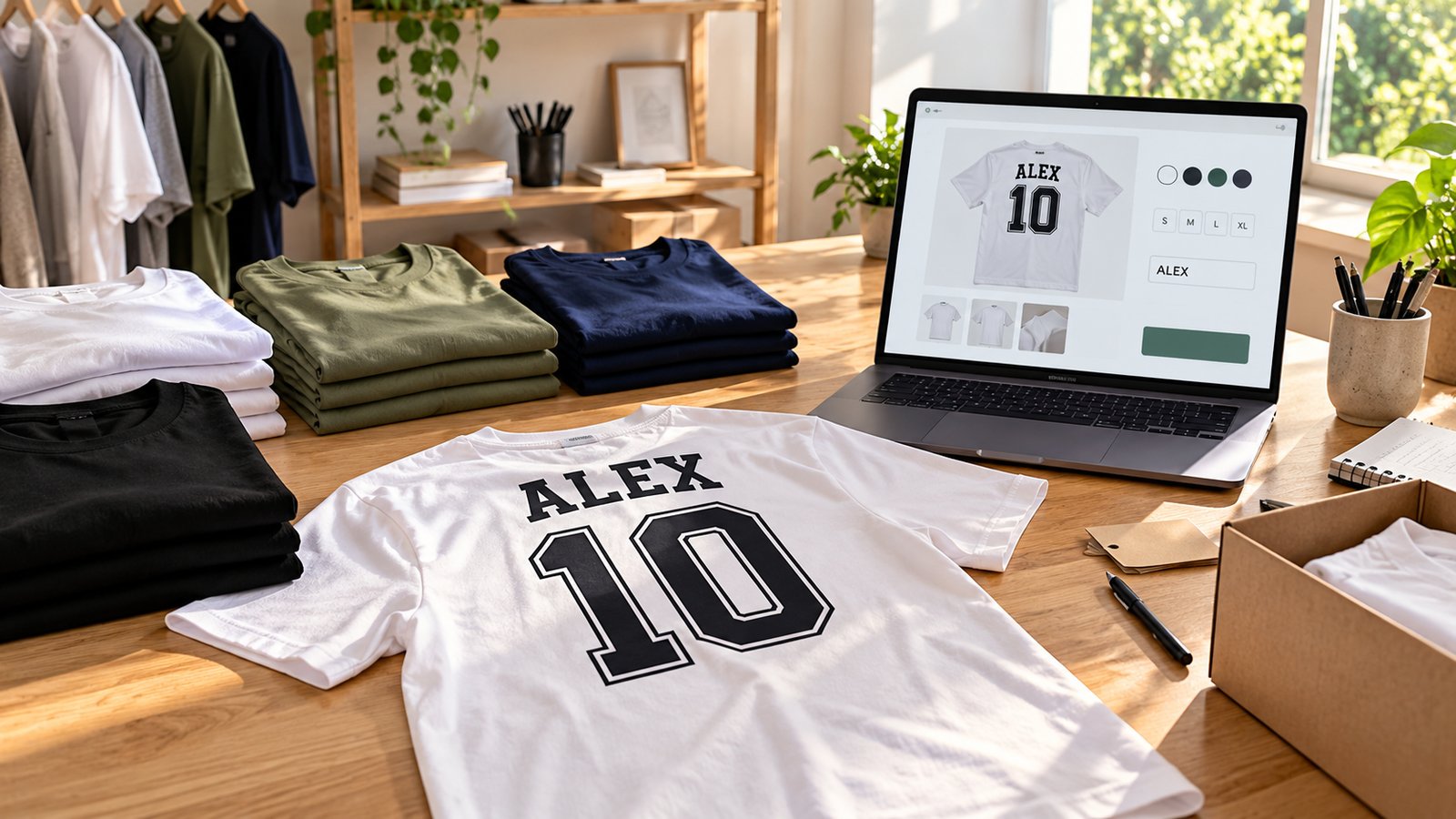
Personalization is what turns a t-shirt store into a business people remember. Instead of choosing from your designs only, customers add their own name, number, date or photo and see it on the shirt before they buy.
PIMW Product Personalizer is our Shopify app built for exactly this. With it you can:
- Add text fields for names and numbers, with 35+ fonts, colors and character limits so names always fit.
- Let customers upload a photo or logo (PNG, JPEG, WebP, SVG or GIF, up to 5 MB) into an area you place on the shirt. Customer upload is on the Pro and Unlimited plans.
- Show a live preview of the finished shirt as they type.
- Use front and back steps, for example a design on the front and a name on the back.
- Add options like "Add a name on the back" or "Add sleeve text" as checkboxes or radio buttons.
- Charge for extras per text area, per logo, per step or per option through Shopify's Cart Transform.
- See every order with the customer's text, font and uploaded files in the app's Orders tab.
Setup takes a few minutes and no code: install the app, turn on the app embed in your theme, build a personalizer on a photo of your shirt, assign it to your products and add the Personalizer block to your product page. There's a free plan, paid plans from $7.99 a month, and no per-order fees, so your costs don't grow with every sale.
Our ranking of the best Shopify product personalizer apps compares PIMW Product Personalizer with nine other apps, and our guides to Shopify image upload and adding product options in Shopify show each feature in detail. If you print on demand, our guide to print on demand personalization explains how personalized orders reach Printful and Printify.
Step 7: Price your shirts for profit
Here's a real example from our t-shirt guide, for a personalized Bella+Canvas 3001 from Printful with a design on the front and the customer's name on the back:
| Line | Amount |
|---|---|
| Base cost with front print (S-XL) | $12.25 |
| Back print for the name | $5.95 |
| US shipping, first shirt | $4.95 |
| Your price, free shipping | $34.99 |
| Shopify Payments fee (2.9% + 30¢, Basic plan) | $1.31 |
| What's left before ads and app costs | $10.53 |
Pricing rules of thumb:
- Charge for personalization. A name on the back is a second print area that costs you $5.95 at Printful, so price it in or add it as a paid option.
- Price larger sizes higher. 2XL and 3XL blanks cost more.
- Leave room for ads. If you plan to advertise, the $10 or so left per shirt has to cover it.
- Sell bundles. Family and team orders bring several shirts in one order, and each extra shirt ships for less ($2.20 at Printful).
Step 8: Create designs that print well
- Size your files properly. Printful asks for at least 150 DPI, and Printify suggests a 4500 x 5400 pixel transparent PNG for a full front print.
- Use transparent PNGs so there's no white box around your design.
- Keep names readable: a bold, simple font at a size that works on a small shirt too.
- Order samples of your best sellers in light and dark colors before you advertise.
Our list of POD apparel design mistakes covers the common problems.
Step 9: Launch and market your store

- Start with people you know. Friends, family, a local team or a club can give you your first orders and photos.
- Show real shirts on real people. Customer photos (with permission) sell better than mockups.
- Use email from day one. Shopify Email includes 10,000 free emails a month on most plans, and abandoned-checkout emails are free on top of that.
- Plan around occasions: back to school, team seasons, Mother's and Father's Day, holidays and family reunions. Our Christmas marketing ideas for personalized gifts cover the biggest season.
- Go after group orders. Teams, schools, companies and event organizers order many shirts at once and come back every season.
Step 10: Run the business day to day
- Check orders before production when you start, especially names and photos.
- Handle sizes carefully. Print-on-demand partners only reprint defects, not wrong sizes, so a clear size chart saves you money.
- Track your numbers: cost per shirt, profit per order and how much you spend on ads per sale.
- Add products slowly: hoodies, hats, mugs and tote bags for the same audience. Our guide to selling personalized products on Shopify shows how to expand.
Mistakes to avoid when starting
- Selling generic designs to "everyone".
- Buying expensive equipment before you have steady sales.
- Using logos or characters you don't have rights to.
- Forgetting the cost of a back print or extra placements.
- Not ordering samples before launch.
- Skipping a size chart and clear return policy.
Your t-shirt business launch checklist
- Pick one niche and five to ten first designs.
- Choose print on demand to start, and order samples.
- Choose a business structure, register it and get your free EIN.
- Set up sales tax and your store policies.
- Open a Shopify store on the Basic plan with a simple theme.
- Install PIMW Product Personalizer and add names, numbers or photos with a live preview.
- Price every shirt with base cost, extra print areas, shipping and fees.
- Add size charts, care instructions and delivery times.
- Launch to your first audience and collect photos and reviews.
- Plan your next season and your first group orders.
Starting a custom t-shirt business is easier than ever: no inventory, no code and no printer needed on day one. What makes it work is a clear audience, shirts people can make their own, and prices that leave you a real profit.
Frequently asked questions
How much does it cost to start a t-shirt business on Shopify?
With print on demand, very little: Shopify Basic starts at $29 a month billed yearly, sample shirts cost about $12 to $20 each with shipping, a free EIN, and PIMW Product Personalizer's free plan. Business registration usually costs under $300 depending on your state.
Do I need a printer to start a t-shirt business?
No. Print-on-demand partners like Printful and Printify print and ship each shirt after it's ordered. Buy equipment later: a heat press starts around $119, while hybrid DTG/DTF printers like the Epson SureColor F1070 launched at $7,495.
Do I need an LLC to sell t-shirts?
Not necessarily, but the SBA notes that sole proprietors can be personally liable for business debts, while an LLC protects you in most cases. Registration usually costs under $300, and an EIN is free from the IRS.
How do I let customers put their name on a t-shirt?
Add a personalization app. PIMW Product Personalizer adds name and number fields, fonts, photo upload, front and back steps and a live preview, with add-on pricing for extras like a name on the back. There's a free plan and no per-order fees.
How much profit can I make per t-shirt?
A personalized Bella+Canvas 3001 from Printful with a front design and a name on the back costs $23.15 including US shipping; at $34.99 with free shipping it leaves about $10.53 after Shopify Payments fees, before ads and app costs.
Can I sell t-shirts with famous logos or characters?
No, not without permission. Logos, characters, team names and brand slogans are protected, and Shopify can remove infringing products and close stores. Use your own designs and let customers add their own names and photos.
Keep exploring
Sources & further reading
Primary sources referenced in this article. We link to official platform documentation and standards bodies rather than secondary summaries so you can verify claims directly.
- Grand View Research: Custom t-shirt printing market (estimate)
- Shopify: Ecommerce website cost and plan prices
- Shopify Help Center: Shopify Tax pricing
- Shopify Help Center: Shopify Email pricing
- SBA: Choose a business structure
- SBA: Register your business
- IRS: Get an employer identification number
- Texas Comptroller: Sales and use tax permit
- USPTO: 2025 trademark fee changes
- US Copyright Office: Copyright basics
- Shopify: Acceptable Use Policy
- Printful catalog: Gildan 5000 (also Bella+Canvas 3001)
- Printful: Shipping rates
- Cricut: EasyPress heat presses
- Epson: SureColor F1070 launch
- Epson: SureColor F2270 launch
- Shopify App Store: PIMW Product Personalizer