
In this article
- Why personalization and print on demand fit together
- How a personalized POD order flows
- Option 1: Printify's built-in personalization
- Option 2: Printful's personalization (text only)
- Option 3: Gelato's Personalization Studio
- Option 4: Personalizer apps that generate print files
- Option 5: Personalizer apps that capture the details
- Which approach should you choose?
- Best POD products to personalize
- Pricing personalized POD products
- Avoiding mistakes on personalized POD orders
- Your POD personalization checklist
- Frequently asked questions
- Keep exploring
Print on demand personalization means letting each customer add their own name, text or photo to a product that your print-on-demand partner then prints and ships for you. On Shopify there are four ways to do it: Printify's built-in personalization, Printful's text personalization, Gelato's Personalization Studio (on Gelato+), or a personalizer app. Some personalizer apps send a finished print file to your POD partner automatically. Others capture the customer's details, and you finish the design before the order goes to print. Which one is right depends on how many orders you get, whether customers upload photos, and how much manual work you're willing to do.
We sell a personalizer app ourselves (PIMW Product Personalizer), so we've spent a lot of time on the part most guides skip: what actually happens between "Add to cart" and the printer. Everything below comes from Printify's, Printful's and Gelato's own help centers, Shopify's developer docs and the Shopify App Store, checked in October 2026.
Key takeaways
- Printify's Personalization Hub is free and handles text and photos, but only on new listings, with no font or color choices on Shopify; never press Shopify's Request fulfillment on those orders.
- Printful personalizes text only: orders import as drafts marked Requires personalization, and you type the customer's text in before confirming.
- Gelato's Personalization Studio needs Gelato+ ($29.99 a month, or $19.99 billed yearly), which can also pull print files from personalizer apps.
- Print-file apps (Customily, Teeinblue) automate everything for per-order fees; capture apps like PIMW Product Personalizer have no per-order fees but need a short manual step.
Why personalization and print on demand fit together
Print on demand already removes the hardest part of personalized products: you never hold stock, so making one unique item is no harder than making one standard item.
- Demand is real. In Deloitte's 2015 UK survey of 1,560 adults, 36% of consumers were interested in buying personalized products, and 1 in 5 of those were willing to pay a 20% premium.
- POD providers see it too. Printify's 2026 list of custom products to sell calls personalized and custom mugs a top-selling product year-round and says personalized jewelry sells well all year.
- It protects your margin. A generic quote mug competes with thousands of identical listings. A mug with a child's name on it doesn't.
The catch is operations. A normal POD order goes straight to production. A personalized one has to carry the customer's text or photo into the print file, exactly as typed, every time.
How a personalized POD order flows

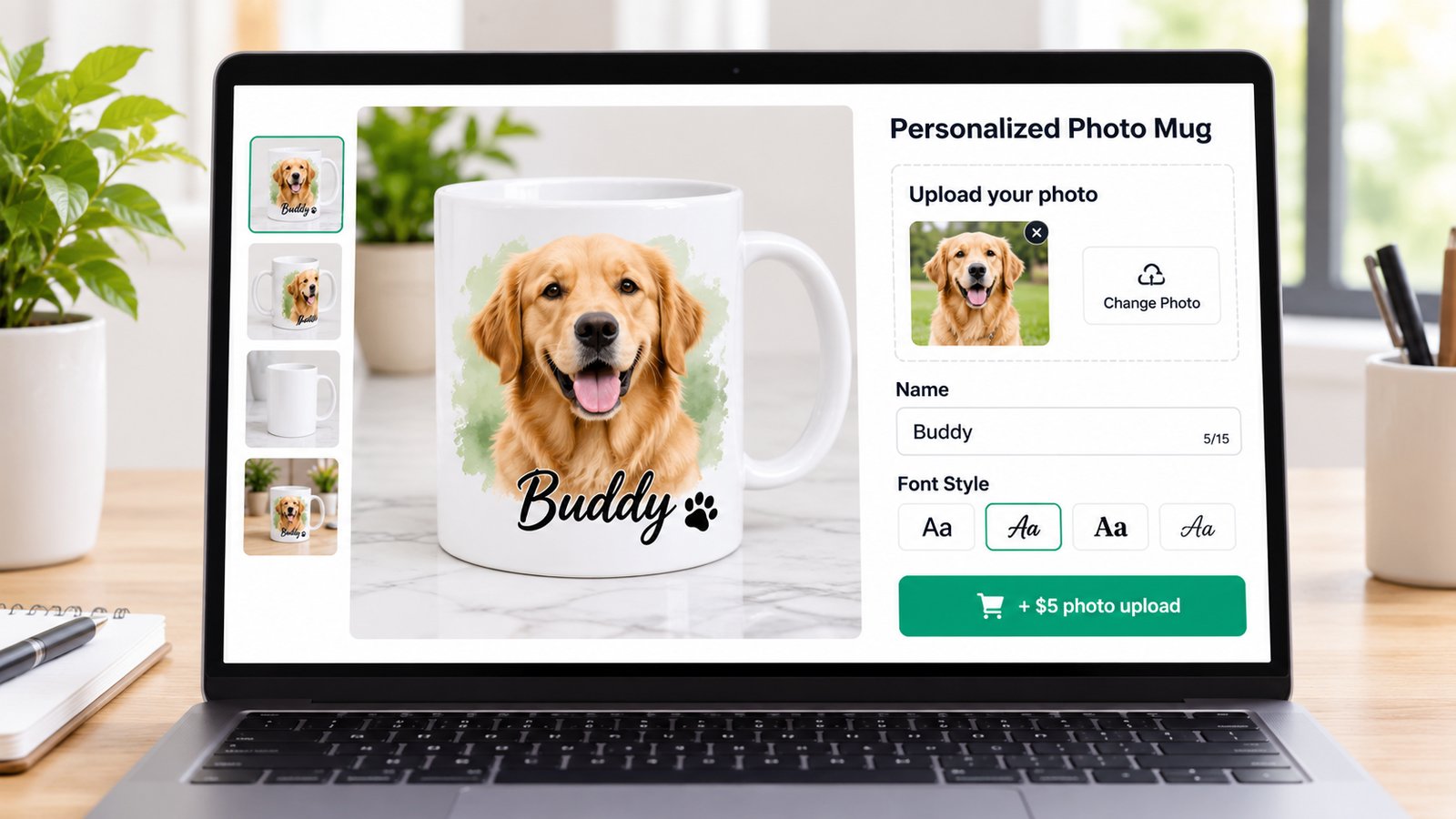
- The customer personalizes on your product page: types a name, picks a font, uploads a photo, ideally with a live preview.
- The details are saved on the order. Shopify stores them as line item properties: name and value pairs attached to the product in the cart, such as "Engraving: Emma".
- Your POD partner imports the order. Depending on the setup, it either arrives with a finished print file or arrives waiting for you.
- Someone builds or checks the final design. That's the POD tool, a personalizer app, or you.
- The order is approved and printed, then shipped to the customer.
Step 4 is where the four approaches differ, and where most mistakes happen.
Option 1: Printify's built-in personalization
Printify's automated personalization lets buyers add custom text and images during the purchase. On Shopify it runs through Printify's Personalization Hub:
- How customers use it: a personalization button on the product page opens the Hub. Buyers add text and upload images, see a live preview, click "Save design", then add to cart. Printify says the design is automatically linked to the order.
- Setup: add the "Printify Personalize Button" app block to your product template (Printify says this step is mandatory) and add personalization layers when you create the product.
- What you can personalize: text fields with a character limit you set, image fields (PNG, JPEG or JPG up to 100 MB) and combinations, and you can upload custom fonts. Printify says every product in its catalog can be personalized.
- Cost: Printify calls it its free personalization feature.
What to watch:
- New listings only. The Hub is only available when you publish a new product listing. To add it to a product that's already published, Printify says you have to recreate the listing.
- It becomes mandatory. On automated products, personalization can't be turned off for the buyer.
- No font or color dropdowns on Shopify. Printify's own table shows text options (choices like font and color) as not available for Shopify, only for Etsy.
- One set of details per order line. If a customer orders three of the same personalized product with different names, Printify says only one set of details comes through. Customers should add each item to the cart separately, or you'll need a manual workaround.
- Never press "Request fulfillment" in Shopify. Printify warns that it overrides personalization settings and sends the order to production instantly, without review.
Personalized orders arrive as Review needed: you open the order, check the design, click "Approve personalization" and submit. Printify also lets you auto-submit after 1 hour, after 24 hours or at a set time each day, and orders the buyer approved in the live preview can skip your review.
Option 2: Printful's personalization (text only)
Printful's approach is simpler and more manual:
- Text only. Printful says personalization is currently available only for text-based designs.
- No storefront field from Printful. Printful says it doesn't provide a built-in way for customers to submit personalization details on your store. You collect them with order notes, by email or with a third-party app. It recommends Zepto Product Personalizer.
- Orders wait for you. Shopify orders with customizable products import as drafts with the status "Requires personalization". You click "Personalize order", type in the customer's text, ideally get the customer's final approval, then confirm.
- Setup: in Printful's Design Maker, add a text placeholder (such as "Custom Name") and tick the box to enable personalization. It works on new or existing products.
What to watch: Printful's 2 to 5 business day fulfillment window starts when an order reaches "Waiting for Fulfillment", so time spent in draft adds to delivery, and any hold resets the clock. Printful also says it hasn't tested third-party personalization apps, so its support can't help with them.
Option 3: Gelato's Personalization Studio
Gelato's Personalization Studio adds text placeholders and image uploads, and on Shopify customers click a "Personalize Design" button that opens an editor in your store. Two things to know:
- It needs Gelato+. Gelato says to make sure you have an active Gelato+ subscription before creating personalized items, with no extra charge or transaction fee per order. Gelato+ costs $29.99 a month, or $19.99 a month billed yearly, according to Gelato's help center in October 2026.
- Gelato+ can also take print files from other apps. If a personalizer app saves a print file link in a line item property, Gelato+ users can enter that property's name in their store settings, and Gelato adds the file to the order automatically.
Option 4: Personalizer apps that generate print files
Some personalizer apps do the whole job: they build a print-ready file from the customer's choices and push it to your POD partner.
| App | Shopify rating (reviews) | Price | What it does for POD |
|---|---|---|---|
| Customily | 4.9 (277) | $49/month + $0.10 to $1 per order item | Automatic print file generation; connects to Printify, Printful, Gelato, Gooten, CustomCat and more |
| Teeinblue | 4.9 (383) | $49/month + $0.10 to $0.40 per order item (first 100 orders a month fee-free) | Auto-generated print-ready files; connects to Printful, Printify, Gelato, Dreamship and more |
These are the most hands-off options, and they're built for stores selling at volume. The trade-off is the per-order fee, which grows with your sales. At 500 personalized orders a month, Customily's fees alone add $50 to $500.
Option 5: Personalizer apps that capture the details
Other personalizer apps focus on the shopping experience: the live preview, uploads, options and pricing. They save everything on the order, and you finish the design in your POD partner's dashboard.
PIMW Product Personalizer (our app) is in this group. It gives customers a live preview on your product photo, 35+ fonts, colors, image upload (PNG, JPEG, WebP, SVG and GIF, up to 5 MB), 10 option field types and conditional logic, and lets you charge extra per text, per logo, per step or per option through Shopify's Cart Transform. Every order shows up in its Orders tab with the customer's text, fonts and colors and download links for uploaded images. It has a free plan, paid plans from $7.99 a month and no per-order fees.
The honest part: PIMW doesn't advertise automatic print-file generation or direct POD integrations. With it, the workflow looks like this:
- Printful: the order arrives as "Requires personalization". You copy the customer's text from the order into "Personalize order" and confirm, the same way Printful describes its Zepto workflow.
- Printify: you use Printify's manual personalization. Printify says on Shopify it can't add a personalization field itself, so the details come from the order and you adjust the design before approving.
- In-house or a local printer: you download the files and details from the Orders tab.
That's a few minutes per order. For a store doing a handful of personalized orders a day, saving $50 to $500 a month in per-order fees often makes the manual step worth it. At hundreds of orders a day, an automated print-file app usually wins.
Zepto Product Personalizer (4.9 from 1,436 reviews, from $9.99 a month for 100 custom orders) works the same way with Printful, which recommends it.
Which approach should you choose?

| If you | Choose |
|---|---|
| Sell on Printify and want free, simple text and photo personalization on new listings | Printify Personalization Hub |
| Sell on Printful and only need names and short text | Printful personalization plus a personalizer app to collect the text |
| Sell on Gelato and already pay for Gelato+ | Gelato Personalization Studio |
| Sell hundreds of personalized orders a month and want zero manual work | Customily or Teeinblue |
| Want the best storefront experience, add-on pricing and no per-order fees, and can finish designs yourself | PIMW Product Personalizer |
| Want font and color choices, image swatches or conditional fields on Shopify | A personalizer app (Printify's Shopify personalization has no text options) |
Our ranking of the best product personalizer apps for Shopify compares ten apps in detail, and our ranking of Shopify print-on-demand services compares the partners themselves.
Best POD products to personalize
From Printify's and Printful's own recommendations:
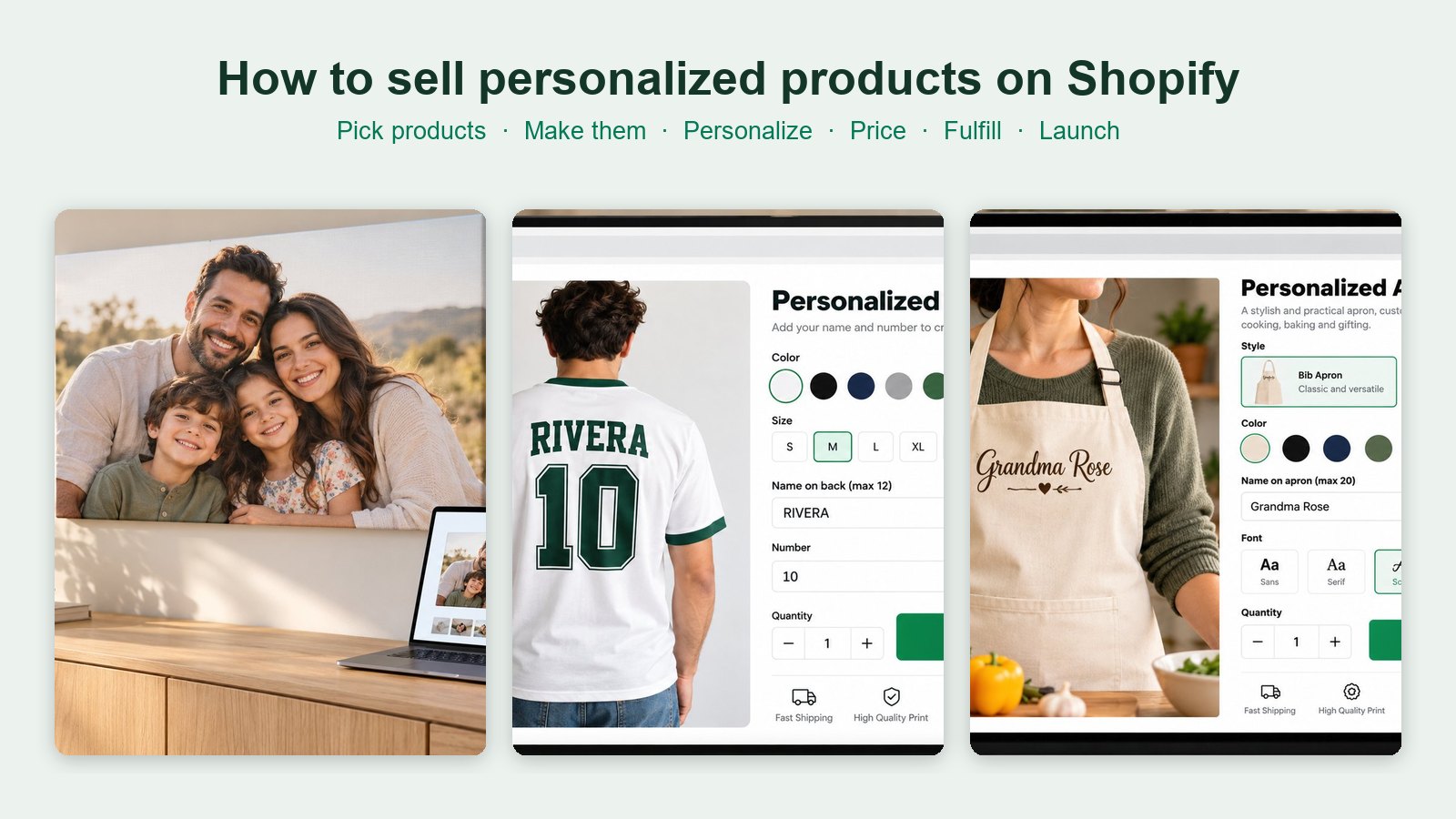
- Mugs: Printify calls personalized mugs a top seller all year. Our guide to the best print-on-demand mugs compares costs.
- T-shirts and hoodies with names, numbers or photos.
- Kids' clothing and baby bodysuits with name-based designs.
- Blankets and pillows with photos and names.
- Embroidered totes and beanies with names or monograms. Printify says embroidery digitization is free but can take up to 36 hours, and some fonts may not pass digitization.
- Phone cases, framed prints and posters with photos.
- Jewelry, which Printify says sells well year-round.
Pricing personalized POD products
Price the product, the shipping and the personalization separately in your head. Using an 11 oz white mug from our mug guide (October 2026 prices):
| Line | Amount |
|---|---|
| Mug from Printify Choice | $5.03 |
| US shipping, first mug | $7.29 |
| Product price | $21.99 |
| Personalization add-on (name and photo) | +$5.00 |
| Shopify Payments fee on $26.99 (2.9% + 30¢) | $1.08 |
| What's left before ads | $13.59 |
An add-on fee for personalization is easy to justify and pays for the minute you spend checking each order. With a print-file app, subtract its per-order fee too.
Avoiding mistakes on personalized POD orders
- Turn on manual review at first. Use Printify's manual submission or Printful's "Manually confirm all imported orders" until you trust your setup.
- Set character limits that you've tested on the real print area.
- Ask for original photos, not screenshots. Printify accepts images up to 100 MB in its Personalization Hub, so size is rarely the problem; resolution is.
- Tell customers to add each personalized item separately to the cart if they want different names.
- Never use Shopify's "Request fulfillment" button on Printify personalized orders.
- Show a proof for high-value orders before you approve them.
- Place a test order with every new personalized product and check the print file your partner receives.
Your POD personalization checklist
- Pick one POD partner and one hero product.
- Decide: built-in POD personalization, an automated print-file app, or a personalizer app with a short manual step.
- Add the personalization button or app block to your product template.
- Set character limits, fonts and photo guidance.
- Add a personalization fee to your price.
- Turn on manual order review while you test.
- Place a test order, approve it and check the printed result.
- Write a returns policy for personalized items, and post holiday order deadlines early.
Personalization is what turns a print-on-demand store from "another mug shop" into the place people come back to for gifts. Get the order flow right first, and the creative part gets a lot more fun.
Frequently asked questions
What is print on demand personalization?
Letting each customer add their own name, text or photo to a product that your print-on-demand partner prints and ships. On Shopify you can use Printify's or Gelato's built-in tools, Printful's text personalization, or a personalizer app that either generates print files or captures the details for you.
Does Printify support personalization on Shopify?
Yes. Printify's free Personalization Hub lets buyers add text and images with a live preview, but it only works on new listings, has no font or color choices on Shopify, and orders need your review. Printify warns never to press Shopify's Request fulfillment button on these orders.
Does Printful support personalized products?
Yes, for text only. Shopify orders with customizable products import as drafts marked Requires personalization; you type in the customer's text and confirm. Printful has no storefront field, so it suggests collecting details with order notes, email or an app such as Zepto.
Do I need Gelato+ for personalization?
Yes. Gelato says its Personalization Studio requires an active Gelato+ subscription, which cost $29.99 a month or $19.99 a month billed yearly in October 2026, with no extra fee per personalized order.
Which personalizer apps send print files to POD automatically?
Customily ($49 a month plus $0.10 to $1 per order item) and Teeinblue ($49 a month plus $0.10 to $0.40 per item, first 100 orders a month free) generate print-ready files and connect to Printify, Printful, Gelato and other partners.
Can I use PIMW Product Personalizer with print on demand?
Yes, with a short manual step. It gives customers a live preview, image upload and add-on pricing with no per-order fees, and saves everything on the order; you then finish the design in Printful's Personalize order or Printify's manual personalization. It doesn't advertise automatic print-file generation.
Keep exploring
Sources & further reading
Primary sources referenced in this article. We link to official platform documentation and standards bodies rather than secondary summaries so you can verify claims directly.
- Printify Help: Automated personalization for Shopify
- Printify Help: What is product personalization
- Printify Help: Reviewing personalized orders
- Printify Help: Personalized order submission settings
- Printify Help: Multiple copies of a personalized product
- Printify Help: Personalized embroidery
- Printify Help: Setting up product personalization
- Printful Help: Personalization for Shopify
- Printful Help: Setting up a personalized product
- Printful Help: Third-party personalization
- Printful Help: Fulfillment times
- Gelato Help: Product personalization tool
- Gelato Help: Print files from Shopify apps
- Gelato Help: Gelato+ cost
- Printify: Best custom products to sell (2026)
- Shopify Dev Docs: Line item properties
- Shopify App Store: Customily
- Shopify App Store: Teeinblue
- Shopify App Store: Zepto Product Personalizer
- Shopify App Store: PIMW Product Personalizer
- Deloitte: Made-to-order, the rise of mass personalisation (2015)