
In this article
- What is a visual product customizer?
- How does PIMW Product Personalizer work as a visual customizer?
- Start from 142 ready-made templates
- What can customers customize?
- Photos, clipart and image shapes
- How do multiple product views work?
- Product options with a live layered preview
- Build option sets with AI or templates
- Can customers review their design before checkout?
- How does pricing for personalization work?
- What do you see when an order comes in?
- How do you set up a visual product customizer in Shopify?
- Can you match the customizer to your brand?
- How much does PIMW Product Personalizer cost?
- How is it different from a product options app or a 3D configurator?
- Which products can you sell with a visual customizer?
- Why a visual customizer helps you sell personalized products
- Frequently asked questions
- Keep exploring
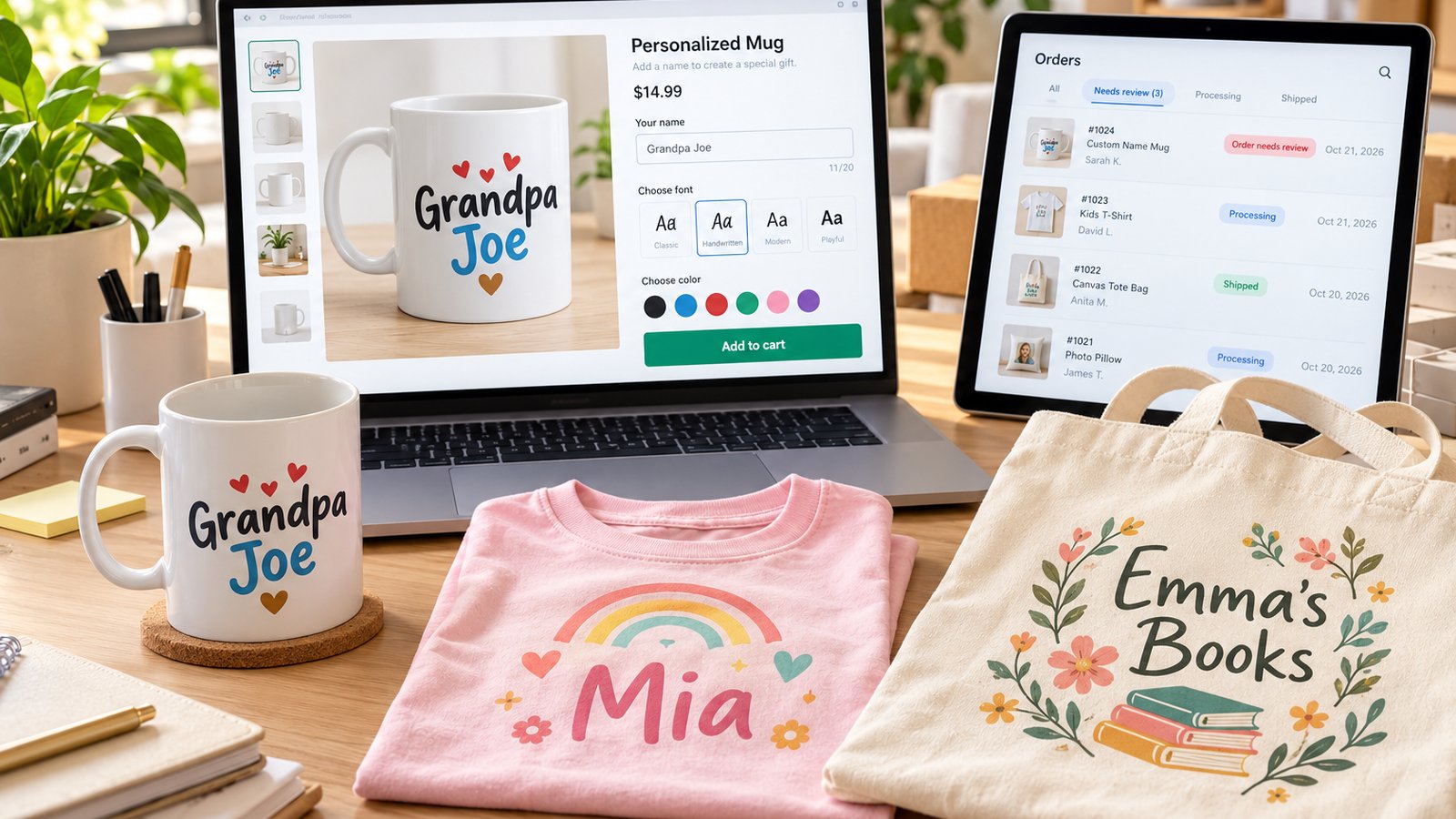
A visual product customizer is a tool on your product page that lets shoppers design their own version of a product, adding their name, text, photo or clipart and choosing colors and options, while a live preview shows exactly how the finished product will look before they buy. PIMW Product Personalizer is our visual product customizer for Shopify: shoppers design on a live preview of your real product photo, across as many views as the product has (front, back, sleeve, cover, inside), and you receive an order with a print-ready picture of exactly what they designed. It installs as a theme app extension with no code, has a free plan, and charges no per-order fees.
This page explains how a visual product customizer works, what your customers can customize, how multiple views and live layered previews work, what happens in the cart and in your orders, and what it costs. Every screenshot below was taken from the live app on our demo store on October 20, 2026.
Key takeaways
- A visual product customizer lets shoppers add text, photos and clipart and see a live preview on the product before they buy.
- PIMW Product Personalizer supports multiple views (front, back, cover, inside), 142 templates, custom fonts, six text effects and photo shapes.
- Option sets offer 16 field types with a live layered preview, and can be drafted with AI from a plain-language description.
- Shoppers review their design before checkout and in the cart; you download a 3000 x 1950 px print-ready image of every order.
- Plans: Free, Basic $7.99, Pro $13.99 and Unlimited $24.99 a month, with unlimited orders and no per-order fees.
What is a visual product customizer?

A visual product customizer turns a product page into a small design studio. Instead of typing a name into a plain text box and hoping it comes out right, the shopper sees their text, font, color, photo and choices drawn on the real product as they make each one.
It does three jobs:
- Collects the personalization: the customer's text, uploaded images, clipart and option choices.
- Shows a live preview: the design appears on the product image as the customer works, so they know what they're buying.
- Passes the details to you: every choice is saved with the order, ready for printing, engraving or embroidery.
That's why visual customizers are used for personalized gifts, custom apparel, engraved jewelry, print-on-demand products and business merchandise: anything where the customer's own input is the reason to buy.
How does PIMW Product Personalizer work as a visual customizer?

PIMW Product Personalizer gives you two main tools that work together:
- The Personalizer: a design popup. Shoppers type text, pick fonts and colors, add images and see it all drawn on the product photo, across one or more views. You build it in a canvas editor: upload your product photo (Contain or Cover fit), draw the print area and set its exact width and height, then add text fields and image areas. A "Storefront View" button shows what shoppers will see before you publish.
- Option sets: extra product options on the product page, such as color swatches, buttons, dropdowns, text boxes and file uploads, each with its own price. With "layering", the product photo changes live as the shopper picks.
On your product page, a "Personalize this product" button opens the design popup. The shopper works through each view, sees the live preview, reviews the design and adds it to the cart.
Start from 142 ready-made templates

You don't have to build every customizer from scratch. "Create New Personalizer" opens a library of 142 templates in 12 categories: T-shirts & Apparel, Mugs & Drinkware, Phone Cases & Tech, Jewelry & Accessories, Gifts & Keepsakes, Photo Products, Home Decor, Bags & Totes, Business & Promotional, Baby & Kids, Pet Products, and Wedding & Occasions.
Each template shows a finished sample, and "Preview" opens it exactly as shoppers would see it, with a switch between desktop and mobile layouts. Pick one, swap in your own product photo, and adjust the fields. Or start from a blank personalizer.
What can customers customize?

Text. You can offer single-line fields (up to 5 per view, such as "Greeting" and "Name") and multi-line fields for longer messages. For each field you set the label, default text, required or optional, maximum characters and alignment. Shoppers can choose:
- Fonts: you tick which Google Fonts to offer (Roboto, Open Sans, Lato, Montserrat, Oswald, Playfair Display, Merriweather, Raleway, Poppins, Inter and many more), or upload your own font file (.woff2, .woff, .ttf or .otf, up to 8 MB).
- Colors: a ready palette, your own list of allowed hex colors, or a full color picker.
- Style: bold, italic and underline.
- Text effects: Drop Shadow, Glow, Gradient Fill, Engraved, Emboss and Neon. You choose which to offer and which is the default.
Text automatically shrinks to fit the print area, using a maximum font size you set, so long names never spill off the product.
Photos, clipart and image shapes

- Image Upload: shoppers fill the print area with their own photo (up to 15 MB), then drag and zoom it to fit.
- Add Images: shoppers upload their own images or logos. You set how many and which formats, and you can pre-load default images they can remove or replace.
- Clipart (Select Default Images): give shoppers a fixed set of up to 50 images to choose from, and set how many they can place and the minimum required.
- Image shapes: Original, Rectangle, Square, Rounded rectangle, Circle, Oval, Hexagon, Diamond, Star and Heart. Shoppers drag and zoom their photo inside the shape.
- Drag permissions: choose whether shoppers can move and resize text, images, or both.
How do multiple product views work?

Most personalized products have more than one side: the front and back of a t-shirt, the cover and inside of a greeting card, both sides of a mug. PIMW Product Personalizer handles this with views.
- Add a view for each side: front, back, sleeve, cover, inside, and so on, as many as your plan allows (1 on Free, 8 on Basic, 20 on Pro, unlimited on Unlimited).
- Each view has its own canvas, product photo, text fields and image areas.
- Shoppers move through views as tabs, with step-by-step progress ("Step 1 of 3") and Next and Back buttons.
- "Customer must personalize" decides whether every view is required or only "at least N of M" views.
- Friendly checks: a required field that's still empty is pointed out before the shopper moves on.
Product options with a live layered preview

Not every product needs a design popup. For products where shoppers choose from options, such as colors, materials and add-ons, option sets show the choices on the product page and can change the product photo as they pick.
- Layering: you upload a base image (a blank mug, a plain t-shirt, a white sneaker) and add one layer per option. Change the option and only that layer changes. Each color or choice gets its own image, text layers draw the shopper's typed text, and upload layers place their photo.
- Image swap: "Change the product image when a choice is selected" swaps the theme's main product photo, like Shopify variant images.
- 16 field types: Radio Buttons, Checkboxes, Checkbox Group, Dropdown (Single), Dropdown (Multi), Color Swatch, Image Swatch, Switch, Switch Group, Text Field, Text Area, Number, Date Picker, Time Picker, Email and File Upload.
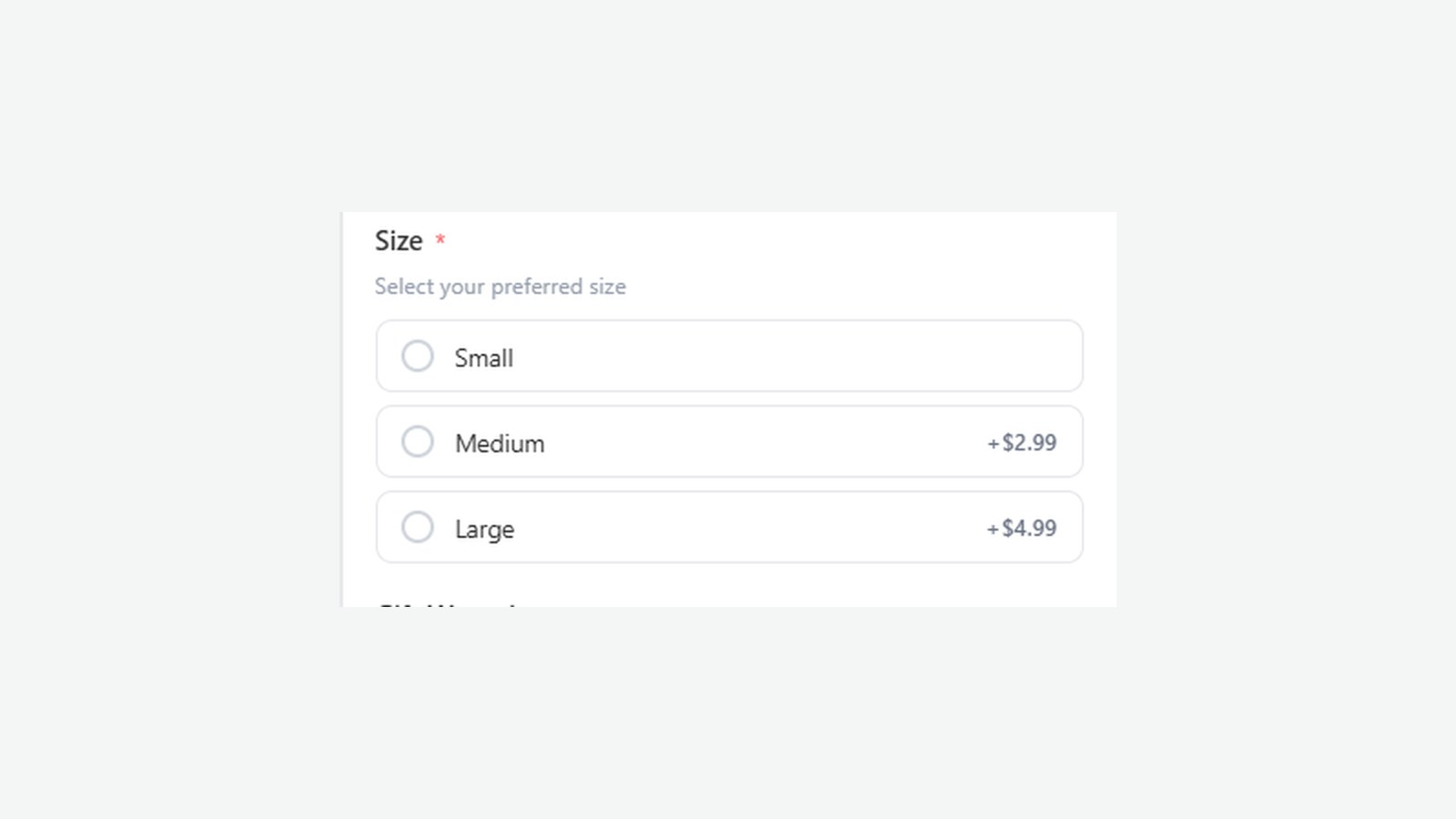
- Field settings: required, preselect first choice, help text, placeholder, and a price and quantity for each choice. Group fields into sections, which can be optional and collapsible.
- Conditional logic: show a field only when another field is filled or a specific choice is picked (Pro and Unlimited).
- Add-on total: shoppers see the extra cost update as they pick options.
In our demo store, picking "Forest" turns the sneaker green, and a rose gold bar necklace shows "Olivia" engraved in the chosen script font.
Build option sets with AI or templates

You can start an option set from one of 23 templates with photos (such as Photo Upload, Custom Engraving and Monogram & Initials), filtered by category, or start from scratch.
Or describe your product options in plain words, for example: "I sell engraved whiskey glasses. Customers choose a glass size, pick a font, and can add up to 20 characters of engraving for $8. Gift boxes are $5." The app builds a draft option set for you to review. It uses credits, and nothing is saved until you press Save.
Can customers review their design before checkout?

Yes. Before adding to the cart, shoppers see a summary of every view: a thumbnail, each text with its font and color, and the images they chose, with an Edit button for each view.
In the cart, each personalized item shows what was customized (for example "Custom Text: Cover, Inside") and a "View preview" button. The preview opens the finished design for each view, with tabs, so the shopper can check it once more before checkout.
How does pricing for personalization work?

"Set Price" turns on pricing rules for a personalizer. You can charge for text and for logos and images, per field or per logo, and for each view. Option set choices each carry their own price.
The extra price is added to the product's price in the cart and at checkout through Shopify's Cart Transform, and it works for normal products on every Shopify plan. Before charging fees, you create a hidden fee product from the app's dashboard in one click.
What do you see when an order comes in?

The Add-on Orders page lists every order with a personalized design or product options. You can search by order number or customer name, filter by type (Personalizer or Options) and by status (Unfulfilled, Fulfilled, Paid), and sort by date.
"View" opens each view of the design exactly as the shopper made it, with the customer's text, font and color, and every uploaded logo or image with its own Download link. "Download Image" saves a large, print-ready picture of the finished design (3000 × 1950 px), with the text laid out exactly as it looked on the shopper's screen.
Personalization is also saved as standard Shopify line item properties, which print-on-demand apps such as Printful, Printify and Gelato read from the order.
How do you set up a visual product customizer in Shopify?

The app's home page walks you through four steps, each with a short video:
- Enable the app embed in your theme, so the app can show on your storefront.
- Add the app blocks to your product page.
- Create an option set (optional), with fields and prices.
- Create a personalizer, from a template or from scratch, and assign it to your products.
It installs as a Shopify theme app extension with no theme code editing, and it's tested on Online Store 2.0 themes such as Dawn, Spotlight and Horizon. The admin and storefront are available in 22 languages. Our guide to adding product options in Shopify and our guide to Shopify image upload walk through similar setups step by step.
Can you match the customizer to your brand?

Yes. In Layout Settings you choose how the personalizer opens: a centered popup, a slide-out drawer from the right, or full screen. You can pick one of 8 color presets (five light, three dark), set your brand color for the Personalize button, Add to Cart and selected choices (the text on it turns white or black automatically so it stays readable), use your theme's colors, and set the popup background.
You can place the Personalize button before or after Add to Cart, or anywhere using a CSS selector, style it further in the theme editor or with CSS, show it on desktop and mobile separately, and open the personalizer automatically when the product page loads.
How much does PIMW Product Personalizer cost?

| Free | Basic | Pro | Unlimited | |
|---|---|---|---|---|
| Price | $0 | $7.99/month | $13.99/month | $24.99/month |
| Personalizer templates | 1 | 5 | 15 | Unlimited |
| Views (steps) per personalizer | 1 | 8 | 20 | Unlimited |
| Personalized product assignments | 2 | 30 | 100 | Unlimited |
| Option groups | 1 | 10 | 30 | Unlimited |
| Fields per group | 2 | 8 | 15 | Unlimited |
| Default images (clipart) | 0 | 5 | 20 | 50 |
| Customer images (Add Images) | 0 | 5 | 20 | Unlimited |
| Step images and live product preview | No | Yes | Yes | Yes |
| Conditional logic | No | No | Yes | Yes |
Plans are billed through Shopify, monthly or yearly (yearly saves 20%), and Basic and Pro include a 3-day free trial. Every plan includes unlimited custom orders, with no per-order fees. Downgrading keeps all your data. PIMW Product Personalizer is rated 5.0 from 9 reviews on the Shopify App Store.
How is it different from a product options app or a 3D configurator?

- Product options apps add fields such as dropdowns and checkboxes to the product page, but often without a preview of the design. PIMW Product Personalizer includes full option sets with a live layered preview, as well as the design popup.
- 3D and AR configurators let shoppers rotate a 3D model of the product. They suit furniture, cars and complex products, but need 3D models and usually cost more. PIMW Product Personalizer is a 2D visual customizer: it uses your own product photos for each view, which is faster to set up and enough for most personalized products. It doesn't offer 3D or AR.
Our comparison of the best product customizer apps for Shopify and our ranking of the best Shopify product personalizer apps compare PIMW Product Personalizer with other apps, including where they do better.
Which products can you sell with a visual customizer?

You can create and sell almost any personalized product:
| Product | What customers customize | Typical views |
|---|---|---|
| T-shirts, hoodies and caps | Names, slogans, logos, text effects | Front, back, sleeve |
| Mugs and drinkware | Names, photos, messages | Front, back |
| Greeting cards and wedding stationery | Greetings, names, messages, photos | Cover, inside |
| Jewelry and pet tags | Engraved names, initials, metal choice | Front, back |
| Phone cases and tote bags | Photos, names, clipart | One view |
| Cushions, ornaments and canvas prints | Family and pet photos, names | One view |
| Cutting boards, gifts and keepsakes | Family names, dates, quotes | Front, back |
Our guides cover many of these in depth, including how to sell custom t-shirts on Shopify, how to sell personalized cutting boards, how to sell custom magnets online and how to sell personalized keychains on Shopify.
Why a visual customizer helps you sell personalized products
- Shoppers buy with confidence. Seeing the name on the product removes the guesswork.
- Fewer mistakes. Character limits, required fields, a review step and a cart preview give shoppers several chances to catch a typo before they pay.
- Easy upsells. Paid extras such as a back print, a premium finish or gift wrap are easy to add when shoppers can see them.
- One product, endless versions. A single listing can serve thousands of customers, each with their own design.
Ready to try it? PIMW Product Personalizer is free to install from the Shopify App Store, and the free plan lets you set up your first personalized products today.
Frequently asked questions
What is a visual product customizer?
A visual product customizer is a product page tool that lets shoppers add their own text, photos or clipart and choose options while a live preview shows the finished product before they buy. The customer's choices are saved with the order for production.
What is the best visual product customizer for Shopify?
It depends on the product. For most personalized products, PIMW Product Personalizer offers a 2D live preview, multiple views, 142 templates, photo upload, clipart, 16 option field types with layered previews and add-on pricing, with a free plan and no per-order fees. For 3D or AR, look at a 3D configurator.
Can I show the front and back of a product?
Yes. Each view (front, back, sleeve, cover, inside) has its own canvas, photo and fields, and shoppers move between them as tabs. You get 1 view on Free, 8 on Basic, 20 on Pro and unlimited on Unlimited.
Can customers upload their own photo or logo?
Yes. Image Upload lets shoppers fill the print area with their own photo of up to 15 MB and drag and zoom it, and Add Images lets them upload images or logos in the formats you allow. Customer images are included from the Basic plan (5), Pro (20) and Unlimited (unlimited).
Do I need to code or edit my theme?
No. The app installs as a Shopify theme app extension: you enable the app embed, add the app blocks and build the customizer in the app. It's tested on Online Store 2.0 themes such as Dawn, Spotlight and Horizon.
Can I charge extra for personalization?
Yes. You can charge for text and for images or logos, per field or per logo and per view, and every option choice can have its own price. The extra is added in the cart and at checkout for normal products.
How do I get print-ready files?
Open the order in the app's Add-on Orders page, view each side of the design with the customer's text, font and color, download any uploaded images, and use Download Image to save a 3000 x 1950 px picture of the finished design.
How much does PIMW Product Personalizer cost?
There's a free plan, then Basic $7.99, Pro $13.99 and Unlimited $24.99 a month, with 20% off yearly and a 3-day free trial on Basic and Pro. Every plan includes unlimited custom orders and no per-order fees.
Keep exploring
Sources & further reading
Primary sources referenced in this article. We link to official platform documentation and standards bodies rather than secondary summaries so you can verify claims directly.